If the Android phone is going through any of the following issues then its network setting needs to be done properly.
- Unable to make a call.
- No voice during the call.
- The call drops or disconnects during the call.
- SMS not received.
- 4G LTE and 5G NR internet not working properly even when the signal strength is good.
These issues can arise from the 4G/5G network service provider. It is rare to see such problems arise by the network service providers.
If the signal strength of the 4G/5G network is not good then proper functionality of the services provided by it cannot be guaranteed.
Various network related issues can arise because the mobile phone’s network configuration has not been done properly.
1. Reboot the phone
Network issues can occur because the Operating system has not been rebooted for a long time. So the first thing you should do is reboot the phone and check if this solves the network-related issue. You should make a habit of rebooting the phone once every week.
2. Check network settings
The second step should be to check the network settings and fix it if it has not been properly configured.

Roaming Setting: Enable Data Roaming if you are outside the network provider base circle.
5G network mode: Make sure you set it to Auto/Auto Select.
Automatically Select network: Enable it.

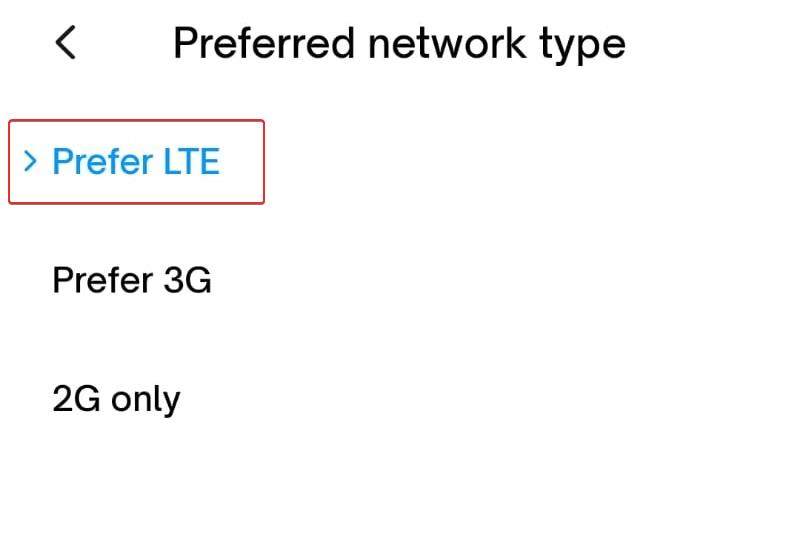
3. Preferred Network Type Settings
If you want connectivity to a 5G network then select 5G/4G/3G/2G.

If you want connectivity to a 4G network then select 4G/3G/2G or Prefer LTE.
4. Access Point Names
Proper configuration of APN settings is necessary for stable connectivity between the mobile phone and the Network Service provider(Carrier). The most compatible setting is the Default setting provided by the Network provider.
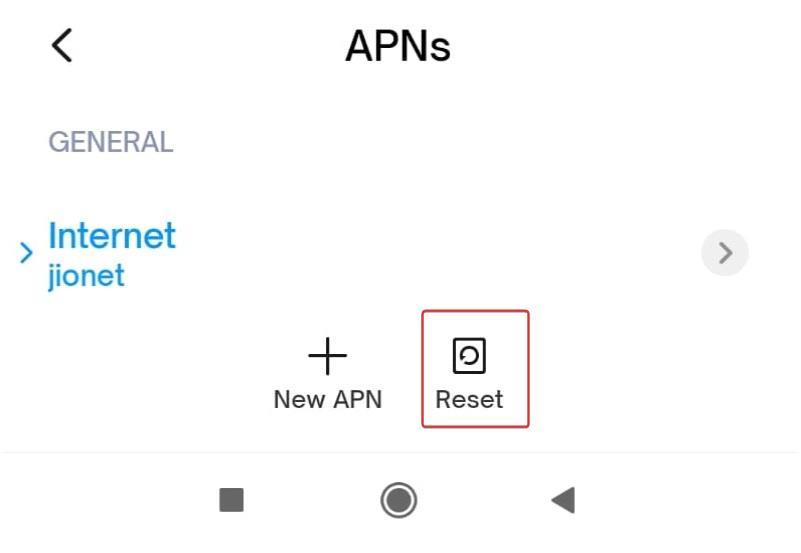
If the current APN setting in the Android phone is outdated or not properly configured, then you must reset the APN setting to the Default setting. You must do this once a year.

To reset the APN Settings do the following:
- Open Access Point Names(APN) Settings.
- Select the three-dot icon at the upper right corner as shown in the image above.
- Select Reset to default. If asked for confirmation then confirm the Reset.
Reference
- My phone can’t access the 4G/5G Internet using mobile data
- Call & Network & Connectivity issues in Vivo phones
- No 5G signal / network in realme phones
- How to fix weak or unstable phone signal in Realme Phones
- How to set up the APN and reset it on Samsung phones?
- Change, add or reset Access Point Name (APN) in Motorola
- Reset APN Setting to default in Vivo phones
- Reset APN setting to default in IQoo phones
- How to reset APN Settings is Realme phones
- What to do when calls disconnect or there’s no network signal on your Galaxy device